
whatismy-ipaddress
IP lookup, DNS & WebRTC leak tests, browser fingerprinting
Quick, honest follow-up to my post from May.
Since then I've shipped a lot: email/password breach check, Data Broker Exposure Score, Ad Tracker Blocking Test, Fingerprint Uniqueness Score (percentile-based), GPC live detection, SPF/DKIM/DMARC checker, subnet calculator, WHOIS lookup, plus a glossary (68 terms), FAQ, About page, and blog infrastructure. Also rebuilt the CSS architecture, self-hosted everything, fixed PageSpeed/CLS issues.
Numbers:
- Revenue: still $0
- Traffic: 9 clicks/28 days from Google — actually down from 16 in May
So yeah — I roughly tripled the number of tools on the site and traffic went the wrong direction. No paid ads, still just me.
What's working: honestly not sure anything is right now. Quora answers used to trickle a few clicks; I haven't kept that up consistently, which might just be the real answer.
What I'm stuck on: I clearly over-indexed on "build more tools" assuming that's what drives SEO/discovery, but the data says otherwise. If you've grown a niche tool site — was it more tools, more content (guides/blog), backlinks, or something else entirely that actually moved the needle?

A few months ago I was trying to check if my VPN was actually working. I ended up with 5 different tabs open — one for IP, one for DNS leaks, one for WebRTC, one for browser fingerprint, one for GPU info.
It was frustrating. So I built one page that does all of it.
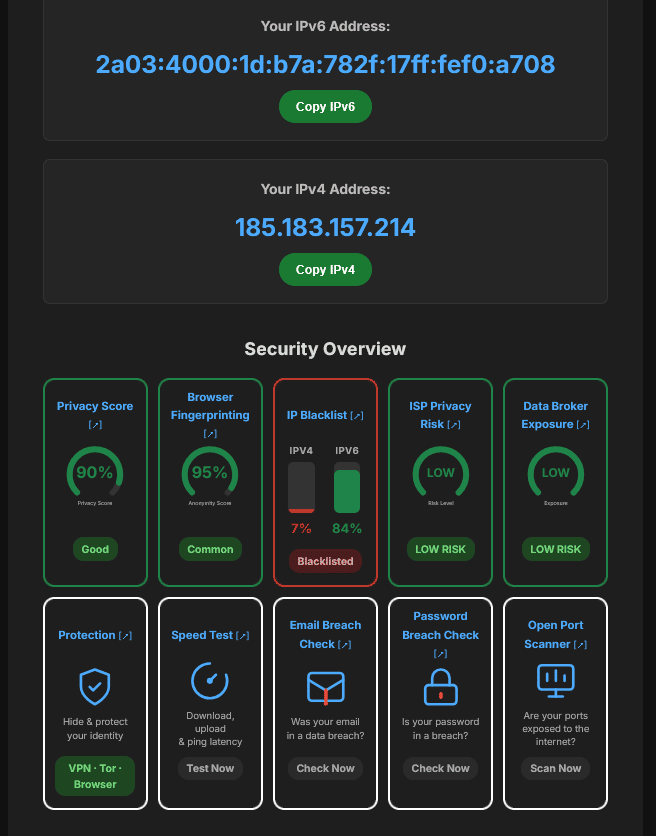
What it does:
- Shows your real IP (IPv4 + IPv6)
- Tests for DNS leaks, WebRTC leaks, and IPv6 leaks
- Reveals your browser fingerprint — fonts, GPU, screen
resolution, CPU cores, device memory
- Detects VPN/proxy/Tor
- Port scanner, speed test, email breach check
Everything in one place, no signup required.
Where I'm at:
- Revenue: $0 (affiliate links for VPN providers, but no conversions yet)
- Traffic: 16 clicks from Google in the last 28 days — small but moving
- Built with vanilla HTML/CSS/JS — no framework, fast load times
What's working:
Answering questions on Quora with a link to the tool as a source. Getting some organic clicks from that.
What I'm struggling with:
Scaling traffic beyond SEO. The tool works well but I'm not sure what features users actually want next.
If you've used tools like this before — what was missing?
What would make you come back or share it with someone?
3 Comments
15+ tools with lower traffic is strong evidence the bottleneck isn’t simply product breadth. Do you know which queries or tools still attract the highest-intent visitors?
Checked GSC properly — narrow tool pages (tracker-test, ip-blacklist, password-breach-check) get ~1.3-1.5% CTR, while my broad "learn more" content page gets 319 impressions but only 0.6% CTR.
So specific tools do out-convert general content, though CTRs this low across the board suggest most pages are ranking deep (page 2-3+), not on page 1 — so it's less about clicks vs. impressions and more that Google barely shows any of it yet.
The specific-tool CTR difference is a useful signal, especially with rankings still limiting the sample. If you’re open to it, what’s the best email to reach you on?