Your files aren’t messy. They’rejust stuck in the wrong system.
Hey IH,
Time isn’t unlimited, but we keep wasting it looking for files we already made.
I’ve been interested in file workflows for a long time, especially what happens after something is saved.
Most knowledge workers don’t explicitly think of file management as a productivity problem. But in practice, a surprising amount of time gets lost to finding, reorganizing, or recreating files that already exist.
This becomes especially noticeable when you’re working across multiple projects. Founders, designers, and builders all end up with files scattered across different contexts. The files are technically there, but bringing them back into use is where things start to break down.
The interesting part is that people do try to organize. They create folder structures, clean things up, and try to stay consistent. But over time, new work comes in, priorities shift, and the structure slowly stops reflecting how they actually think. At that point, maintaining it starts to feel like work on its own, so people stop doing it.
I think the root issue is this: files live in one place, but they don’t belong to just one context.
A single file can be part of a project, related to an idea, useful as a reference, and something you’ll need again later. But folders force you to choose one location, while your memory is based on context.
That gap is what led us to build Voyager.
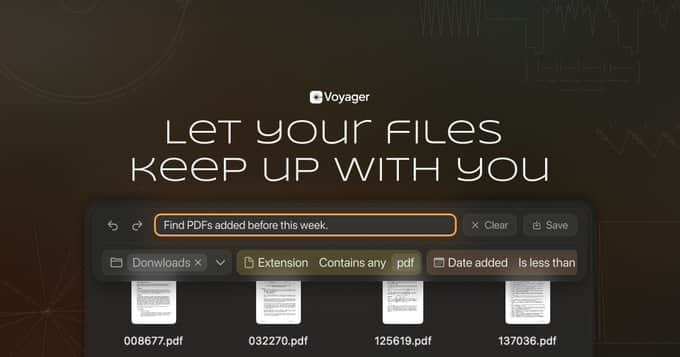
Voyager is a macOS file manager built around properties and reusable collections instead of folders.
Instead of reorganizing files over and over again, you define context once and reuse it.
For example, you can describe something like “files related to the next launch that still need cleanup” or “large files created this year in Downloads,” and Voyager turns that into a collection that keeps updating itself.
Right now, the beta focuses on two early pieces: property-based views and natural language collection creation.
You can combine things like location, name, extension, creation date, and file size without rebuilding the same search every time.
The next step we’re exploring is an agent layer. Instead of managing everything manually, Voyager should help assign context, update properties, suggest useful collections, and let you work across files more naturally.
The goal isn’t just to find files faster.
It’s to make old work usable again.
We’re currently running a closed beta.
I’m especially curious to hear from people who work across many projects and constantly lose track of what they already made.
If your files are technically saved, but not really reusable, that’s the gap we’re trying to close with Voyager.
You can check it out here:
https://voyager.fm
Would love any feedback.

The wrong system problem is real - but the deeper issue is that most solo founders don't have a system, they have a collection of disconnected places. Files in Drive, notes in Notion, client info in email, decisions in memory.
The mess isn't the files. It's the absence of a structure that makes retrieval automatic rather than a manual search every time you need something.
What actually fixed it for me: stopping the folder-first approach and going relationship-first instead. Files aren't organized by type or date - they're organized by what they belong to: which client, which project, which decision. When you need something, you navigate to the context, not the file.
Been building this into a Solopreneur OS: all six modules (CRM, projects, client portal, revenue dashboard, decisions log, weekly review) cross-reference each other in Notion. A client's files live on their record. A project's decisions live on its page. Nothing is homeless.
Curious what the wrong system looked like for you - was it folder depth, naming conventions, or something structural about how the tool organized things?
This is a really useful way to frame it.
The “collection of disconnected places” part is exactly the kind of thing I keep running into. It’s not just that files are messy, it’s that files, notes, decisions, and project context all drift into separate systems over time.
For me, the wrong system was less about folder depth or naming conventions, and more about structure. Folders force me to organize by location, but the way I actually retrieve things is by relationship: project, decision, client, status, or why I saved something in the first place.
Your relationship-first approach makes a lot of sense. That’s also the direction we’re exploring with Voyager, but closer to the file layer on macOS.