Step-by-Step Guide to Developing a Careem Clone App
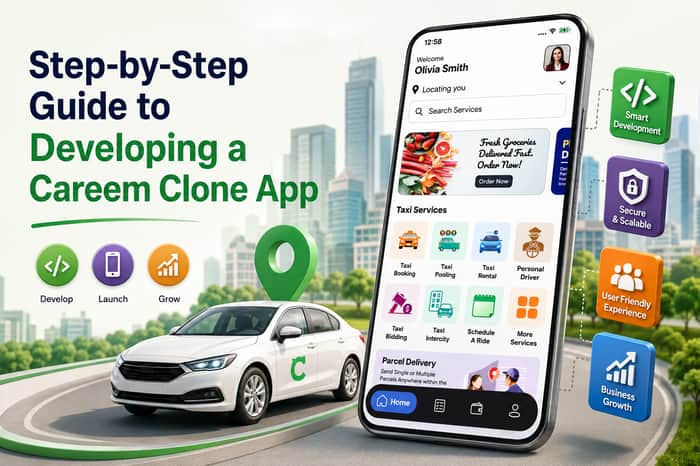
The ride-hailing industry has evolved significantly, creating opportunities for entrepreneurs to launch their own mobility platforms. A Careem clone app provides a ready business model for building a ride-booking platform where customers can request rides, drivers can accept trips, and administrators can manage the complete ecosystem.
However, successful app development requires more than copying the features of an existing platform. You need to understand your target market, choose the right business model, build a scalable technology infrastructure, and deliver a smooth experience for both riders and drivers.
This step-by-step guide explains how to develop and launch a Careem-like ride-hailing app in 2026.
What Is a Careem Clone App?
A Careem clone app is a customizable ride-hailing application inspired by the core functionality of platforms such as Careem. It connects passengers with drivers through a digital platform.
A typical solution consists of three major components:
- Passenger App
- Driver App
- Admin Panel
Depending on your business strategy, you can also add services such as bike rides, car rentals, delivery, corporate transportation, or other on-demand services.
The main advantage of using a clone-based solution is that entrepreneurs can start with a proven operational model and customize it according to their market instead of developing every component from scratch.
Step 1: Research Your Target Market
Before starting development, determine where and how you want to launch your business.
Study:
- Target customers
- Local competitors
- Popular vehicle categories
- Average ride prices
- Driver availability
- Payment preferences
- Local transportation regulations
- Customer expectations
- Demand during peak hours
For example, a market may have strong demand for affordable bike rides, while another may primarily require premium car transportation.
Define Your Target Audience
Your customers could include:
- Daily commuters
- Students
- Tourists
- Corporate employees
- Airport travelers
- Families
- Business travelers
Understanding your audience helps determine which features and vehicle categories should be included in your first release.
Step 2: Select Your Business Model
The next step is deciding how your platform will generate revenue.
A Careem-like app can use multiple monetization methods.
Commission Model
The platform takes a percentage from every completed ride.
Booking Fee
Customers pay an additional fee for each booking.
Surge or Dynamic Pricing
Prices can increase during periods of high demand, subject to local regulations and transparent customer communication.
Subscription Plans
Frequent riders can receive benefits such as discounted fares or priority services through membership plans.
Corporate Accounts
Businesses can use your platform for employee transportation and corporate travel.
Advertising
Local businesses can promote products or services through the platform.
A combination of revenue models can help create a sustainable business rather than relying entirely on ride commissions.
Step 3: Choose the Right App Structure
A complete Careem clone typically requires three systems.
1. Passenger App
Passengers use the application to:
- Register and log in
- Set pickup and destination
- Select vehicle type
- View fare estimates
- Book rides
- Track drivers
- Make payments
- Rate drivers
- View trip history
- Contact support
2. Driver App
Drivers need a separate interface to:
- Register
- Upload documents
- Complete verification
- Set availability
- Receive ride requests
- Accept or reject trips
- Navigate to passengers
- View earnings
- Manage trip history
- Receive notifications
3. Admin Panel
The administration dashboard controls the entire platform.
Administrators can manage:
- Customers
- Drivers
- Vehicles
- Ride requests
- Payments
- Commissions
- Promotions
- Complaints
- Ratings
- Reports
- Service areas
Step 4: Design the User Experience
An excellent UI/UX can strongly influence whether users continue using your application.
Keep the booking process simple:
Open App → Enter Destination → Select Vehicle → Confirm Ride → Track Driver → Complete Trip
The passenger should be able to request a ride within a few taps.
Important interface elements include:
- Clear map screen
- Easy pickup selection
- Destination search
- Vehicle categories
- Fare estimate
- Driver information
- ETA
- Ride status
- Payment screen
- Rating interface
Avoid overcrowding the application with unnecessary options.
Step 5: Develop the Passenger App
Now development can begin with the customer-facing application.
Essential Passenger Features
Registration & Login
Support email, phone number, OTP, and other suitable authentication methods.
Location Detection
Use GPS to identify the passenger's current location.
Ride Booking
Allow users to enter pickup and destination locations.
Vehicle Selection
Provide categories such as:
- Economy
- Sedan
- SUV
- Premium
- Bike
Fare Estimation
Display the estimated cost before the customer confirms the booking.
Real-Time Tracking
Passengers should be able to follow the driver's location on the map.
Digital Payments
Integrate appropriate payment gateways and payment methods for your target market.
Ratings & Reviews
Passengers can rate drivers after completing their trips.
Step 6: Develop the Driver App
The driver application is equally important because drivers are responsible for fulfilling ride requests.
Important Driver Features
- Driver registration
- Profile management
- Document upload
- Vehicle registration
- Online/offline status
- Ride request notifications
- Accept/reject booking
- GPS navigation
- Passenger details
- Trip management
- Earnings dashboard
- Wallet
- Trip history
- Ratings
- Support
The driver interface should prioritize speed and simplicity because drivers interact with the application while working.
Step 7: Build the Admin Dashboard
The admin panel acts as the control center of your Careem clone.
Administrators should be able to monitor operations in real time.
Core Admin Features
Dashboard
Display important metrics such as:
- Total users
- Active drivers
- Completed rides
- Cancelled rides
- Revenue
- Commission
- New registrations
Driver Management
Review applications, verify documents, activate accounts, and manage driver status.
Customer Management
View customer profiles, ride history, payments, and account activity.
Ride Management
Monitor active, completed, cancelled, and scheduled rides.
Pricing Management
Configure fares, commissions, vehicle categories, and applicable pricing rules.
Promotion Management
Create coupons, discounts, referral campaigns, and promotional offers.
Reports & Analytics
Analyze ride demand, revenue, driver performance, customer retention, and other KPIs.
Step 8: Integrate Maps and GPS
Location technology is at the heart of any ride-hailing platform.
Your app needs mapping and location functionality for:
- Pickup detection
- Destination selection
- Driver tracking
- Route calculation
- Distance calculation
- ETA calculation
- Navigation
- Geofencing
You can integrate mapping services such as Google Maps or suitable local alternatives depending on your target market.
Accurate location tracking is important for both customer satisfaction and efficient driver dispatch.
Step 9: Add a Smart Driver-Dispatch System
Once a customer requests a ride, the platform needs to identify an appropriate driver.
A dispatch system can consider:
- Driver proximity
- Driver availability
- Vehicle type
- Estimated arrival time
- Driver status
- Service area
- Customer preferences
The system can then send the request to the most suitable available driver.
Efficient dispatch can reduce passenger waiting times and improve driver utilization.
Step 10: Integrate Secure Payment Systems
Your platform should offer convenient and secure payment options.
Depending on your market, these may include:
- Credit cards
- Debit cards
- Digital wallets
- Bank transfers
- Local payment methods
- Cash
- In-app wallet
The payment system should automatically calculate the final fare, process the transaction, record the payment, and update driver and admin earnings.
Security should be considered throughout the payment workflow.
Step 11: Add Safety Features
Safety is a major consideration for ride-hailing businesses.
Useful safety features include:
Emergency/SOS Button
Passengers and drivers can quickly access emergency assistance.
Trip Sharing
Passengers can share their trip details with trusted contacts.
Driver Verification
Verify driver identity and required documents before activation.
Ride Information
Display driver name, vehicle information, and registration details.
Trip Monitoring
Administrators can monitor active rides and investigate reported incidents.
Ratings and Reporting
Allow users to report inappropriate behavior or safety concerns.
Safety functionality should also be adapted to local regulations and operational requirements.
Step 12: Test the Application
Before launching, conduct comprehensive testing.
Test:
- Registration
- Login
- OTP
- GPS
- Booking
- Driver matching
- Ride cancellation
- Payments
- Notifications
- Promotions
- Ratings
- Wallet
- Customer support
- Admin controls
Also perform:
- Functional testing
- UI testing
- Performance testing
- Security testing
- API testing
- Device compatibility testing
- Load testing
Testing real-world ride scenarios is particularly important because several systems operate simultaneously during a trip.
Step 13: Launch an MVP
Instead of launching with every possible feature, consider releasing a Minimum Viable Product (MVP).
Your initial version could include:
- Passenger app
- Driver app
- Admin panel
- Ride booking
- GPS tracking
- Fare calculation
- Payments
- Notifications
- Ratings
- Basic support
Launch in a limited geographic area first.
This allows you to collect feedback and understand real customer and driver behavior before investing heavily in additional features.
Step 14: Promote Your Careem Clone App
After launch, customer and driver acquisition becomes the next major challenge.
Consider strategies such as:
Referral Programs
Reward customers for bringing new users.
Driver Incentives
Offer bonuses to attract drivers during the early launch period.
Digital Marketing
Use:
- SEO
- Social media
- Paid advertising
- Content marketing
- Local campaigns
Promotional Discounts
Provide introductory offers to encourage customers to try the platform.
Corporate Partnerships
Partner with hotels, offices, travel companies, and local businesses to generate recurring ride demand.
Step 15: Scale Your Platform
Once your initial market becomes stable, expand strategically.
You can introduce:
- Additional cities
- New vehicle categories
- Airport transfers
- Corporate rides
- Bike taxi
- Car rentals
- Package delivery
- Scheduled rides
- Subscription plans
You can also introduce advanced technologies such as AI-powered recommendations, demand forecasting, fraud detection, intelligent customer support, and automated analytics.
The key is to scale based on measured demand, not simply by adding features.
Benefits of Launching a Careem Clone App
A Careem-like platform can provide several business opportunities.
Proven Business Concept
You can build around an established ride-hailing model rather than creating an entirely new service concept.
Multiple Revenue Opportunities
Commission, booking fees, subscriptions, corporate accounts, and advertising can provide different revenue channels.
Scalable Business
After establishing your platform in one city, you can expand into additional locations.
Customizable
You can modify branding, pricing, vehicle categories, payment options, and features according to your business requirements.
Future Expansion
The platform can eventually be extended beyond transportation into other on-demand services.
Final Thoughts
Developing a Careem clone app involves much more than creating a ride-booking interface. You need to build a complete ecosystem connecting passengers, drivers, payments, maps, customer support, and administration.
The recommended approach is to start with thorough market research, define a clear business model, build the passenger and driver applications, develop a powerful admin panel, integrate location and payment technologies, test the platform thoroughly, and launch an MVP.
Once you establish a reliable customer and driver network, you can gradually expand into new cities, vehicle categories, and on-demand services.
With the right combination of technology, user experience, safety, pricing, and marketing, a Careem-like app can become a scalable mobility business in the growing on-demand transportation market.
Frequently Asked Questions
1. What is a Careem clone app?
A Careem clone app is a customizable ride-hailing platform that connects passengers with drivers for on-demand transportation services.
2. What are the main components of a Careem clone?
The core components are a passenger app, driver app, and admin panel.
3. Can I customize a Careem clone app?
Yes. You can customize branding, features, payment methods, vehicle categories, pricing, service areas, and other functionality.
4. How does a Careem-like app generate revenue?
Common monetization methods include driver commissions, booking fees, subscriptions, corporate transportation, advertising, and other platform services.
5. Should I launch all features at once?
Not necessarily. Starting with an MVP and expanding based on customer demand can reduce initial development complexity and business risk.
