How I designed an alternative to JSX
Hi guys, I'd like to present you a syntax I've designed to make rendering complex UIs more readable.
I'd like to ask you for three things:
- Do you think the goals I've set myself are valid (see below)?
- Did I manage to make it readable and follow those goals?
- What's your loose thoughts about the idea?
Repo: https://github.com/gluecodes/gluecodes-glue-dom
Hope you enjoy it.
I already used the syntax to generate Virtual DOM representation of HTML in my own dev tool called GlueCodes. Here is more abut it: https://www.glue.codes and here your can see the prototype: https://ide.glue.codes
Goals
- Gradual learning curve, preferably no need to learn another templating syntax (directives etc.).
- Reads sequentially as HTML while remaining readable and maintainable.
- Isn't a mix of HTML and JavaScript drawing a clear border line between view and logic.
- Allows to format texts without writing nested inline tags.
- Makes writing dynamic texts easier with no need for checking whether variables are non-empty.
Challenge
Write a function which renders condition-based HTML. There is someCondition prop which needs to be truthy to display a section which contains other nested conditionals. firstProgrammer and secondProgrammer are both optional.
Syntax Comparison
JSX
As we want to read it from top to bottom and avoid using variables, we need to heavily rely on ternary operators and logical expressions.
({
  firstProgrammer,
  secondProgrammer,
  someCondition
}) => (
  <div>
    {someCondition
    && (firstProgrammer && secondProgrammer
      ? <p><bold>{firstProgrammer}</bold>, you're going to do pair-programming with {secondProgrammer}.</p>
      : (firstProgrammer && !secondProgrammer
        ? <p><bold>{firstProgrammer}</bold>, you'll code this task by yourself.</p>
        : <p>Hey man! Can you tell us your name before we give you job to do?</p>))

    }
  </div>
)
HyperScript
Similarly to JSX, to avoid using variables and read it from top to bottom, we need to use a mix of ternary operators and rest operators.
({
  firstProgrammer,
  secondProgrammer,
  someCondition
}) => h('div', {}, [
  ...(someCondition ? [h('p', {}, [
    ...(firstProgrammer && secondProgrammer ? [
      h('strong', {}, [
        firstProgrammer
      ]),
      `, you're going to do pair-programming with ${secondProgrammer}.`,
    ] : []),
    ...(firstProgrammer && !secondProgrammer ? [
      h('strong', {}, [
        firstProgrammer
      ]),
      `, you'll code this task by yourself.`,
    ] : []),
  ...(!firstProgrammer && !secondProgrammer ? [
      'Hey man! Can you tell us your name before we give you job to do?',
    ] : [])
  ])] : [])
])
My Way
Here you can use if statements and calls to nested callbacks to either render a tag or text. When calling text, all its arguments are checked whether they are truthy and only if they are, they will be concatenated and rendered. There is also a concept of formatters which are configured when initializing the top-most tag, and they can either wrap texts inside a chosen tag and apply CSS classes on it. In this case emphasized is configured to wrap props inside <strong/> tag. Nesting is possible by simply nesting objects e.g. { bold: { italic: 'some text' } }.
({
  firstProgrammer,
  secondProgrammer,
  someCondition
}) => (
  tag('div', (props, { tag }) => {
    if (someCondition) {
      tag('p', (props, { text }) => {
        text({ bold: firstProgrammer }, ', you\'re going to do pair-programming with ', secondProgrammer, '.')

        if (!secondProgrammer) {
          text({ bold: { italic: firstProgrammer } }, ', you\'ll code this task by yourself.')
        }

        if (!firstProgrammer && !secondProgrammer) {
          text('Hey man! Can you tell us your name before we give you job to do?')
        }
      })
    }
  })
)
Basic Usage
renderer.js:
import React from 'react'
import { createRenderer } from '[@gluecodes](/gluecodes)/glueDom'

export default createRenderer({
  createVDomElement: React.createElement
})
component.js:
import tag from './renderer'

export default () => tag('div', (props, { text }) => {
  text('hello world!')
})
Advanced Usage
renderer.js:
import React from 'react'
import { createRenderer, createVirtualDomEnhancer } from '[@gluecodes](/gluecodes)/glueDom'
import styles from './textFormatters.css'

export default createRenderer({
  createVDomElement: React.createElement,
  formatters: {
    bold: () => ({
      tag: 'strong',
      props: { className: styles.bold }
    }),
    italic: () => ({
      tag: 'span',
      props: { className: styles.italic }
    })
  }
})
component.js:
import tag from './renderer'

export default ({
  email,
  firstName,
  interests,
  surname
}) => (
  tag('p', (props, { text }) => {
    text(
      'You can format an email like this: "', { bold: { italic: email } },
      '" and the whole sentence will appear only if email: ', email, ', firstName: ', firstName, ' and surname: ', surname, 'aren\'t empty. ',
      'It can be especially useful when generating documents from ', { bold: 'dynamic' }, ' fields coming from backend.'
    )
  })
)
GlueDOM Syntax
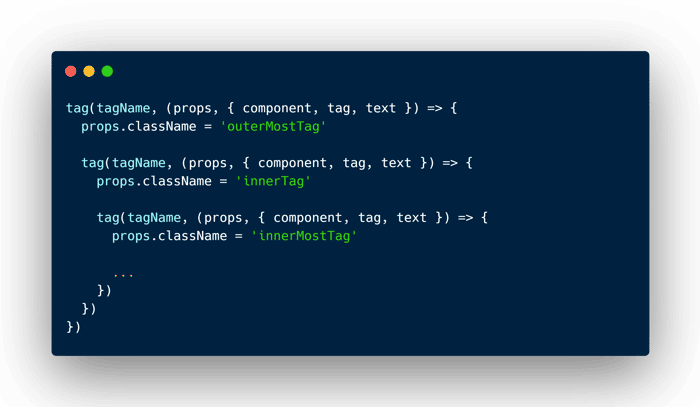
Rendering a tag
Nesting
tag(tagName, (props, { component, tag, text }) => {
  props.className = 'outerMostTag'

  tag(tagName, (props, { component, tag, text }) => {
    props.className = 'innerTag'

    tag(tagName, (props, { component, tag, text }) => {
      props.className = 'innerMostTag'

      ...
    })
  })
})
Assigning props to an element containing child elements or text
tag(tagName, (props, { text }) => {
  props.className = 'someClass'
  props.title = 'some tooltip'

  ...

  text('some text')
})
No child elements nor text
tag(tagName, {
  [props]
})
No child elements nor props
tag(tagName)
Inside Tag Callback
Nested Tag
tag(tagName, ...)
Components
component(reusableUiPiece, props)
Text
text(...[textChunk,])
tagNameA string that specifies the type of element to be createdpropsAn object to assign element props/attributescomponentA function to render componenttagA function to create an elementtextA function to create textreusableUiPieceA function returning reusable virtual DOMtextChunkEither a string or an object which uses text formatters. If any chunk is empty, the whole sentence won't be rendered
