Convert XCStrings files to Docx files
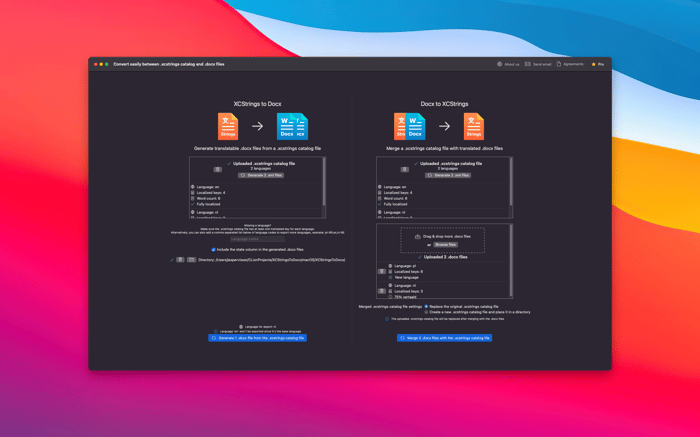
XCStrings Catalog Docx Converter is a powerful yet user-friendly localization tool created to simplify life for developers and translators. It simplifies the way you manage language files, making the localization process straightforward and efficient. 🌍✨
Features
-
XCStrings to Docx Conversion: Convert .xcstrings files into .docx documents, generating a separate file for each language. These .docx files are fully compatible with word processors, enabling translators to focus on content rather than code. 📄✍️
-
Seamless Import & Merge: Once translations are complete, simply import the updated .docx files. The app takes care of merging them back into the original .xcstrings files, eliminating the need for manual edits. 🔄📥
-
Cross-Platform Compatibility: Working with both iOS and Android? No problem! Export .xcstrings files to Android XML format, ensuring easy translation handoffs between platforms. 📱💻
-
Comprehensive Progress Tracking: Monitor every aspect of your localization project, from word counts to translation progress. Stay organized and ensure no details are overlooked. 📊✅
XCStrings Catalog Docx Converter is designed to foster collaboration, minimize manual effort, and streamline the localization workflow for teams handling multiple languages and platforms. 🚀🎯
Website: https://xcstringsdocxconvert.wordpress.com/
macOS App Store: https://apps.apple.com/us/app/xcstrings-catalog-docx-convert/id6636473983

I enjoy reading your posts! The emphasis you place on organized documentation really highlights how EchoAPI helps keep our projects on track and enhances team collaboration.